
- Available now
AI invoicing assistant: ask in plain language
The AI invoicing assistant is a chat panel inside the app that looks things up and prepares invoices, expenses, customers and reports, and asks for your approval before it makes changes.
Available now on every plan, with a daily message allowance on Free and Premium.
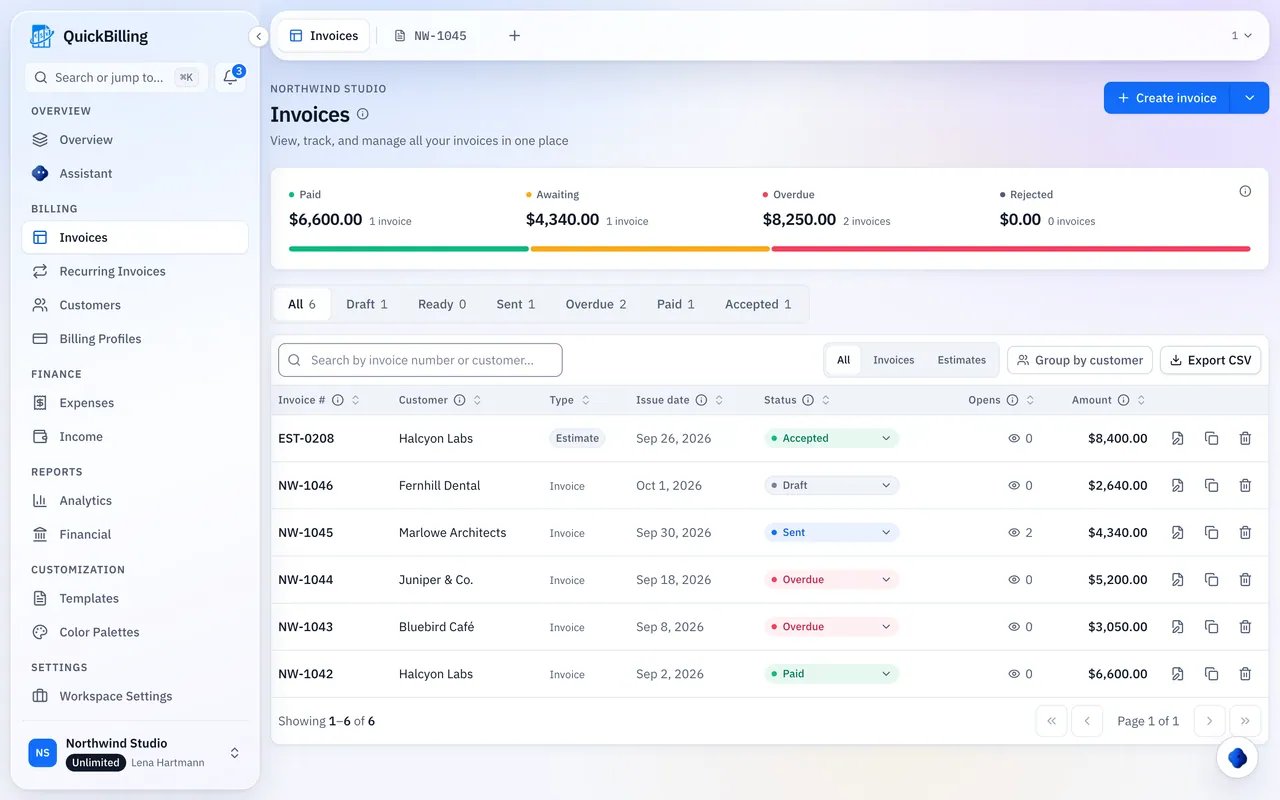
Overview
The QuickBilling assistant is a chat panel inside the app. You ask for things in plain language and it looks up records and prepares invoices, expenses, customers and reports. It asks for your approval before it edits or deletes anything or sends something to a customer, and it links to the records it touches.
What it does
Four things you can ask it for.
Look things up
Ask which invoices are overdue, what you spent on software this quarter or when a client last paid. The answer links to the records behind it.
Prepare invoices
Describe the work and the client. The assistant drafts the invoice for you to check.
Prepare expenses and customers
Say what you bought or who the new client is, and the assistant adds the entry for you to review.
Prepare reports
Ask for a profit and loss summary or a spending breakdown and get a report you can open in the app.
What a request looks like
A short exchange written out as plain text. Names and amounts are fictional.
You
Create an invoice for Bluebird Café for 3 hours of design at $120/hour.
Assistant
I created a draft invoice with one line item, 3 hours of design at $120.00, total $360.00. It is a draft, so nothing has been sent.
You
Send it.
Assistant
Sending emails the invoice to Bluebird Café, so I need your approval first. Approve or decline.
How approvals work
Looking things up and adding new records happen right away. Anything that changes or sends waits for you.
Ask
Open the assistant panel and type what you need in plain language, such as “Create an invoice for Bluebird Café for 3 hours of design.”
Review
The assistant shows what it found or created and links to the records involved.
Approve
Edits, deletions, status changes and anything sent to a customer wait until you approve them.
Included on every plan
Every plan includes the assistant. Free allows 30 messages a day, Premium 500 and Unlimited has no daily limit. The allowance resets at midnight UTC, and adding your own Anthropic, Gemini, OpenAI or OpenRouter key removes it.
How data is handled when you connect an AI assistant is described in our privacy policy. What an assistant does with the data it receives is governed by its provider's own policy. Read the section on AI assistants
Frequently asked questions
Short answers to what people ask before they start. Something missing? Ask us directly.
Which plans include the assistant?
All of them. Free includes 30 messages a day, Premium 500, and Unlimited has no daily limit.
Can I use my own AI provider key?
Yes. In Settings, under Account and AI providers, add an API key from Anthropic, Gemini, OpenAI or OpenRouter. The key is encrypted when it is stored and never shown again, and your provider bills the usage. While your key is active, the daily message limit does not apply to you.
What can I ask it?
It can look up and prepare invoices, expenses, customers and reports from plain-language requests, and it links to the records it touches.
Will it change my data without asking?
It asks for your approval before it edits or deletes records, changes a status or sends something to a customer. Looking things up and adding new records happen without a prompt, and every answer links to the records involved so you can check them.
Can I use my own AI assistant instead?
Yes. The MCP server works with Claude Desktop, Cursor and other MCP clients that support remote servers. You sign in with your QuickBilling account.
How is my data handled?
Data handling for AI assistants is described in our privacy policy, in the section on ChatGPT and other AI assistants.
Try the assistant in your workspace
Create a free workspace to start. The assistant is included, with 30 messages a day on Free.
Free plan. No credit card required.