Stop Invoicing At The Weekend
When the invoice trails the job, payment trails too.
Back-To-Back Call-Outs
Emergency at eight, two more before lunch. By evening, this morning’s notes are on a parts slip.
Batched, Late Invoices
Invoices go out days later in a batch, and customers query lines they don’t remember.
Invoice On The Spot
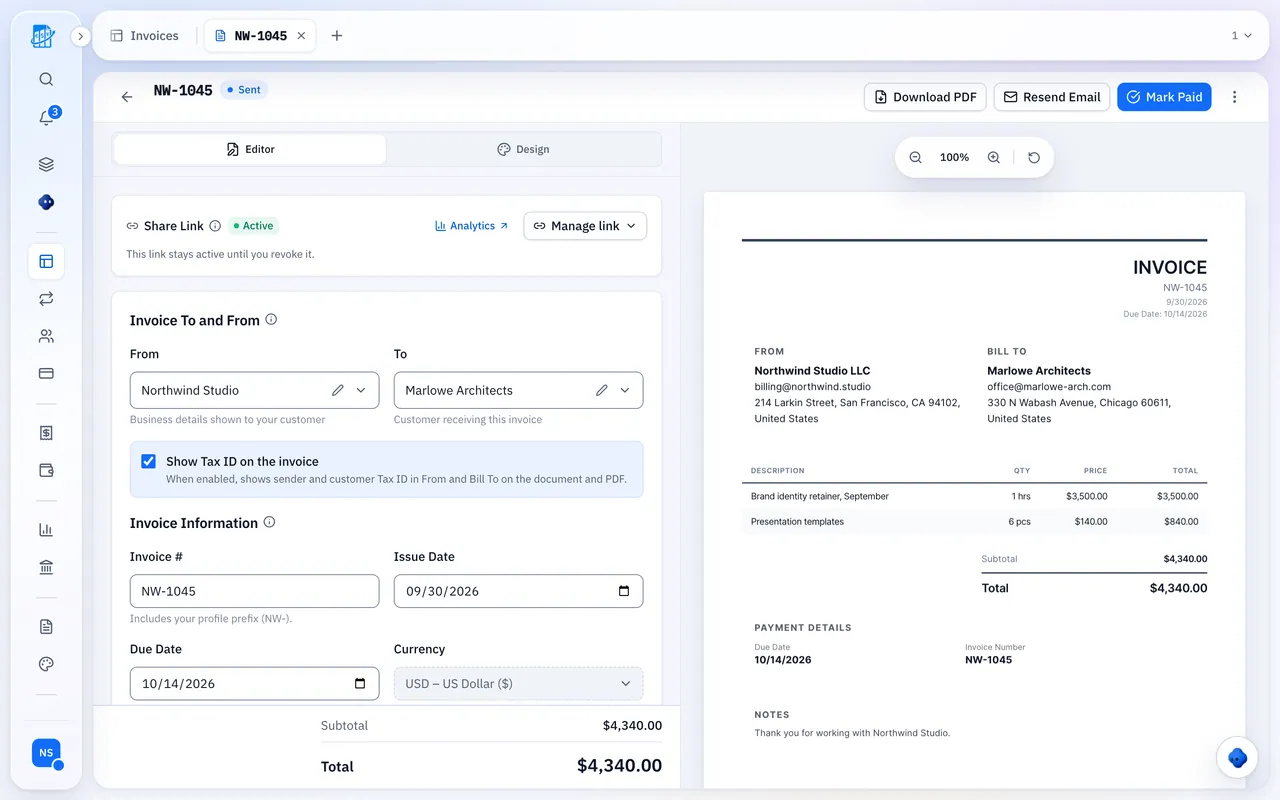
Send it from your phone while the customer is standing next to the work.
Built For Call-Outs And Big Jobs
Every tool fits in the gap between jobs.
Invoice On Site
Saved templates hold your call-out fee, hourly rate and common parts. Add what you used and send a link.
Quotes That Convert
Itemized parts-and-labor quotes for refits and boiler swaps become the invoice when accepted.
Parts Per Customer
Log merchant purchases, fittings and fuel against the customer, so you see what each one really earns you.
Reminders That Chase
The day before and two days after the due date, plus 7- and 14-day follow-ups. Switch off any time.
Landlord Work On Autopilot
Set up each schedule once. Every invoice is prepared as a draft on its date.
- Letting agents, blocks of flats and annual boiler servicing
- Review and send each draft yourself
- Pause and restart any time
Paper Vs QuickBilling
Same work, less admin.
The Old Way
Notes typed up at the weekend
- Quotes retyped into invoices
- Chasing payment by text
- No idea if it was opened
- Receipts in the van door
With QuickBilling
Invoice sent before you leave
- Quotes convert with every line intact
- Automatic reminders you can switch off
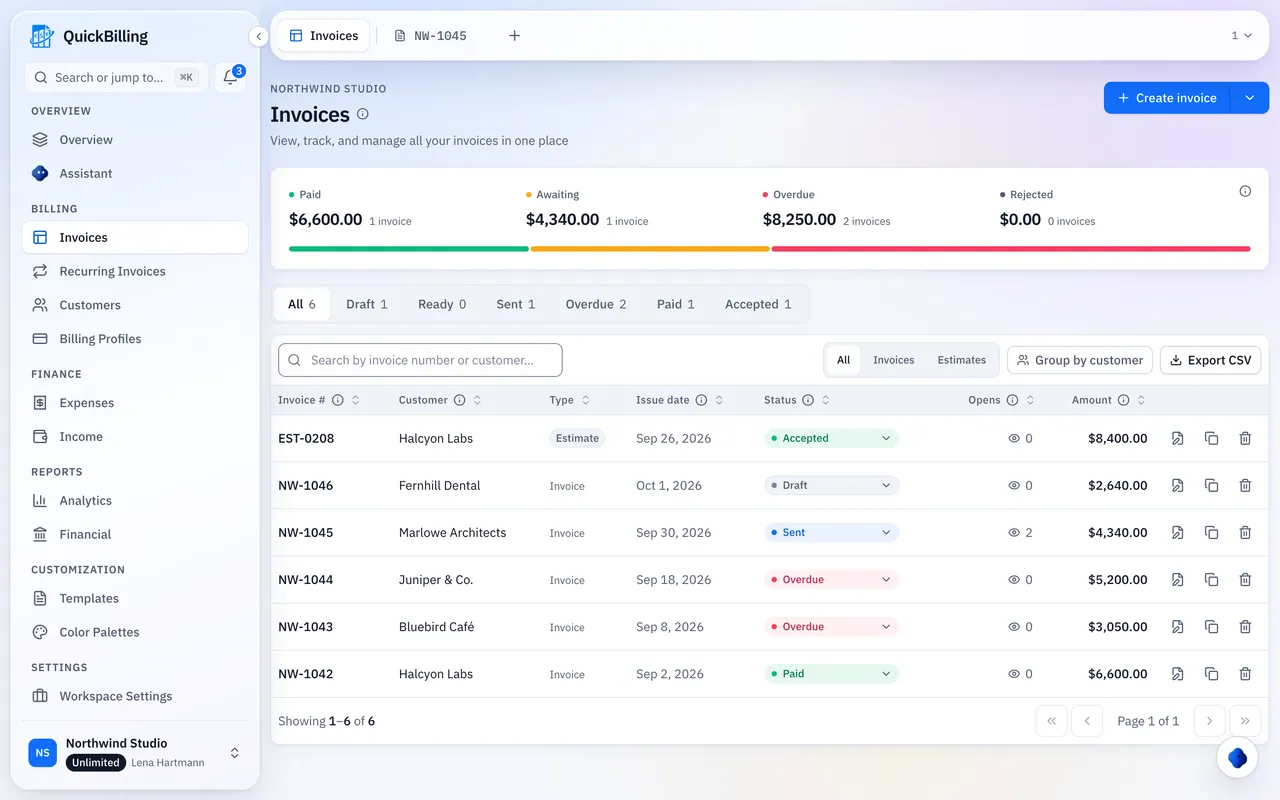
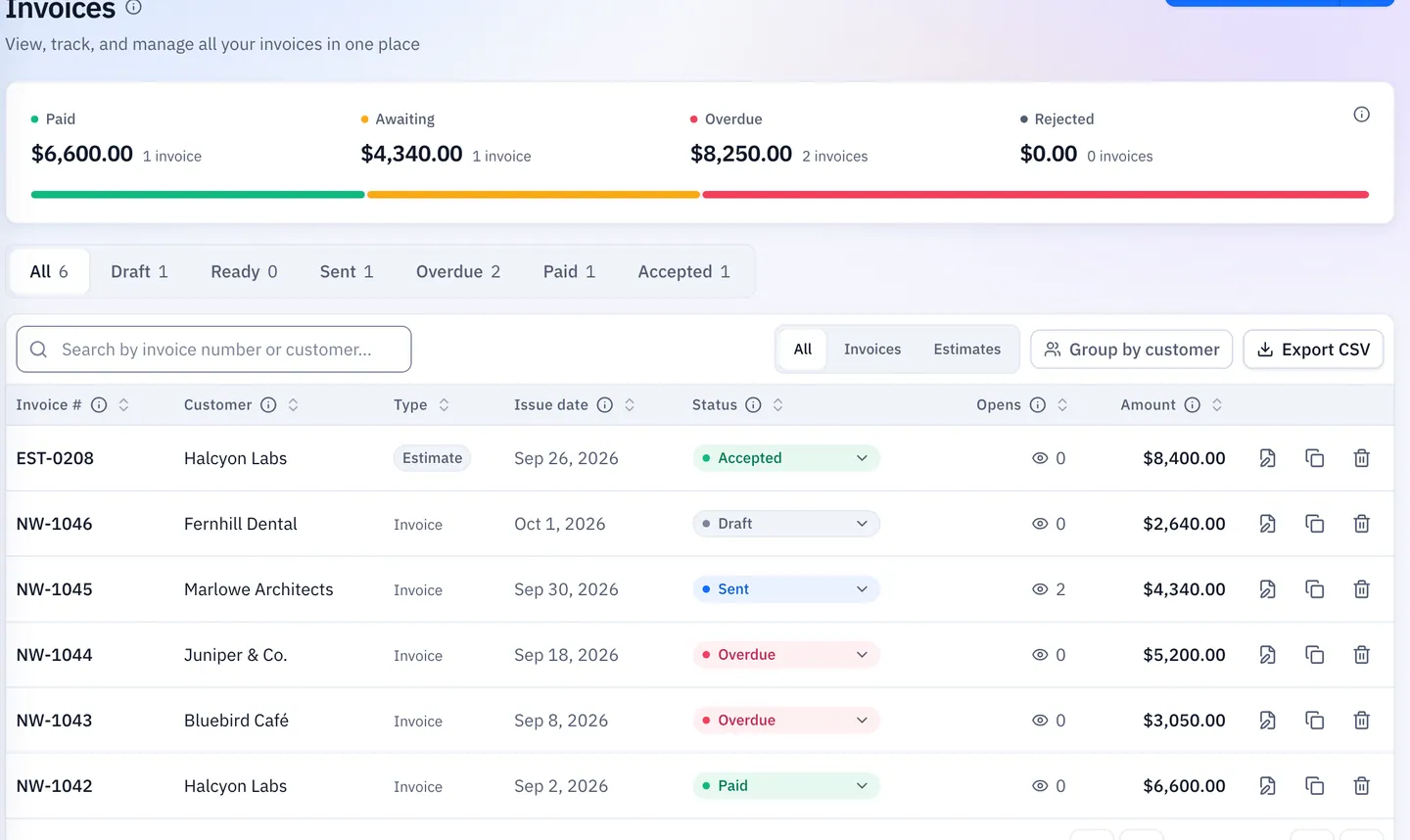
- Open tracking on every link
- Parts costs linked to each customer
Built For Real Plumbing Jobs
Four everyday scenarios, one app.
Emergency Call-Out
Burst pipe at 7am. Pick the call-out template, add labor and the fitting you used, and send the link before you leave.
Landlord Servicing
Annual boiler services for a letting agent run as recurring drafts. Review each one on its date and send.
Big Install With A Deposit
Quote the bathroom refit with a deposit line in the wording, then convert the accepted quote when the job is done.
Merchant Run
Log the merchant receipt against the customer, so the parts cost shows next to their revenue.
What’s Included For Plumbers
Real features, on every plan.
- Invoice from your phone’s browser
- Call-out and parts templates
- Parts-and-labor quotes
- Online quote acceptance
- One-click quote to invoice
- Recurring invoice drafts
- Payment reminders
- Bank transfer and PayPal details
- Expense tracking with receipts
- Profit and loss reports
- Open tracking
- 41 currencies
What Customers Say
“I built QuickBilling because sending an invoice should feel like sending a link. I want to know when it has been opened, and I want reminders to go out before and after the due date without me writing them by hand.”

“I send an estimate as a link, my client accepts it without needing an account, and I convert it to an invoice in one click.”

“I can see when a client has opened an invoice, and the reminder schedule does the nudging for me. I no longer write those awkward follow-up emails.”

Why Businesses Trust QuickBilling
Encrypted In Transit And At Rest
HTTPS on every connection; stored data encrypted at rest by our database and storage providers.
Separate Workspaces
Every request is checked against your workspace and role.
Your Data Stays Yours
Export your account as JSON and invoices or reports as CSV, or delete your account.
Never Sold, Never Used For AI Training
No selling, no advertising, no training AI on your content.
Clear About Where Data Lives
Servers and files in Sweden (EU); database and email in the US. Operated from Sharjah, UAE.
A Record For Every Signature
Each signed estimate has a record: name, time, IP, device and SHA-256 fingerprint.
Simple Plans, Free To Start
In US dollars. Save 10% yearly. Cancel any time.
Free $0/ month
For your first invoices and seeing when clients open them.
- Up to 5 customers
- Unlimited invoices and estimates
- 2 invoice templates
- See when and how often links are viewed
Premium $15/ month
For freelancers with a steady client list.
- Unlimited customers
- You + 2 team members
- All 14 templates plus your own
- IP, location and device tracking
- Your own branding
Unlimited $30/ month
For agencies, several businesses or API work.
- Everything in Premium
- Unlimited workspaces and team members
- REST API keys
- 1,000 AI assistant messages a day
Invoicing For Other Trades
Plumbing Invoice Software FAQs
Short answers to what people ask before they start.
What Is The Best Invoicing Software For Plumbers?
The best plumbing invoice software invoices call-outs from your phone, quotes bigger jobs and tracks parts costs. QuickBilling does all three and is free to start.
Can I Invoice From The Job Site?
Yes. Open QuickBilling in your phone’s browser, pick a template, add what you used and send a mobile-friendly link before you leave.
Can I Quote Bathroom Or Boiler Work?
Yes. Refits, boiler swaps and repipes get an itemized parts-and-labor quote. When the customer accepts it online, convert it to the invoice in one click.
Can I Show A Deposit On A Big Job?
Yes, as wording on the quote or invoice, such as a deposit line or a note on the payment terms.
How Do I Bill Landlords Or Boiler Servicing On A Schedule?
Set up a recurring invoice for each letting agent, block of flats or annual boiler service. Each one is prepared as a draft on its date for you to send.
Can I Track Parts And Merchant Costs?
Yes. Log merchant purchases, fittings and fuel with receipts, linked to the customer. Profit and loss reports show costs next to revenue.
Does It Chase Late Payers?
Yes. Reminders go out the day before and two days after the due date, plus optional 7- and 14-day follow-ups. You can switch them off on any invoice.
How Do Customers Pay?
By bank transfer or PayPal, shown on the invoice, share page and PDF. Customers don’t need an account.
Is This Plumber Invoicing Software?
Yes: write the invoice after the job, show your bank or PayPal details, see when the customer opened it, and quote bigger jobs as estimates.