
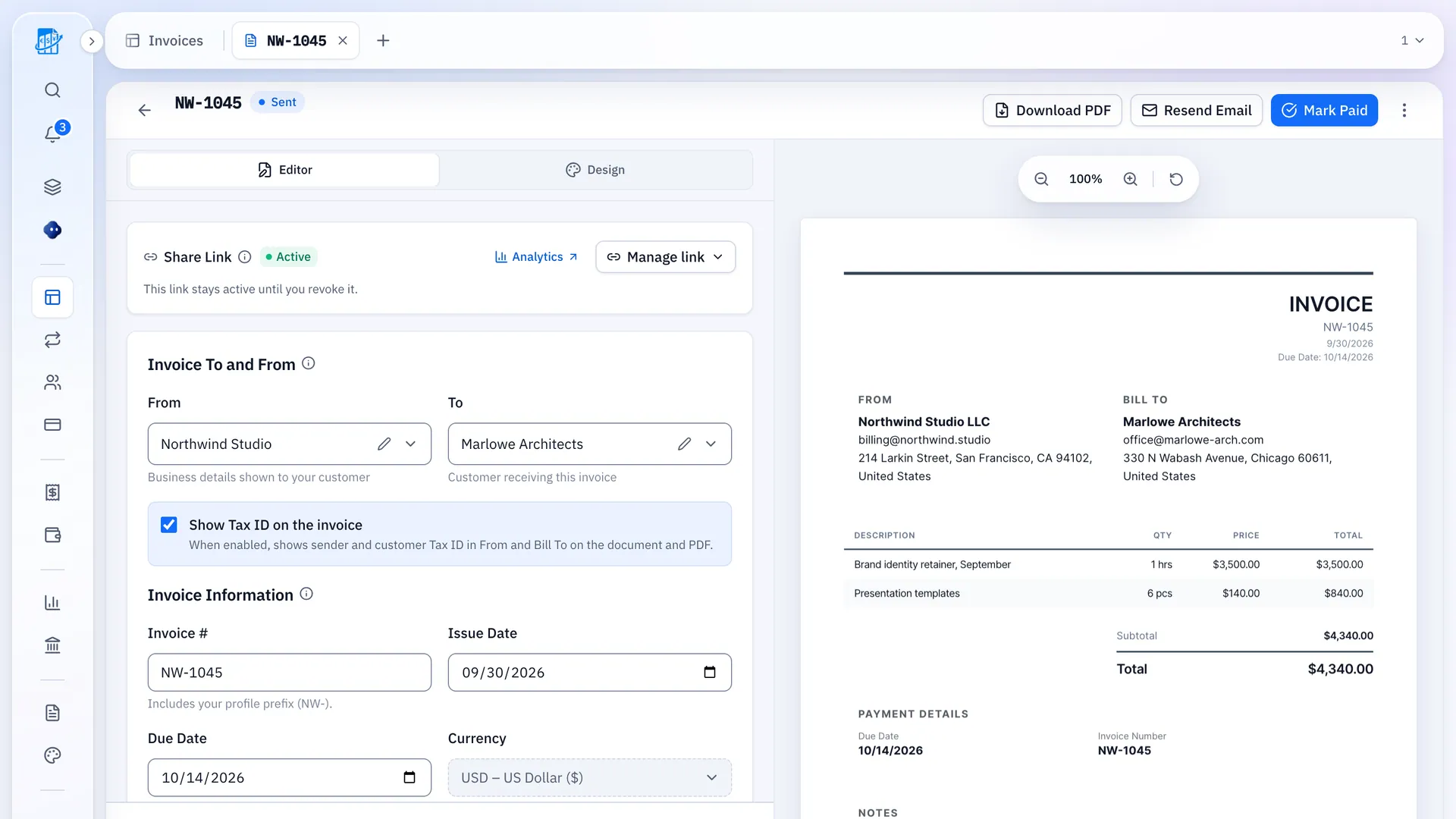
Three Things To Weigh Up Before You Switch
Every figure comes from the pricing page, checked 4 October 2026.
Plans Start At $38 A Month
On the US pricing page, list prices are Simple Start $38, Essentials $85, Plus $140 and Advanced $340 a month, before a displayed 50% off for three months.
Free Plan Limits
The US pricing page names QuickBooks Free and says mobile app access and third-party integrations are not currently available with it.
AI Features Are In Beta
AI chat in Simple Start is labelled beta with limited capacity, and Invoicing on Autopilot (beta, limited capacity) starts at Essentials.
QuickBooks Vs QuickBilling
Prices and limits as published on 4 October 2026.
QuickBooks
From the QuickBooks US pricing page
- List prices: Simple Start $38 and Essentials $85 a month
- Plus $140 and Advanced $340 a month
- QuickBooks Free: no mobile app access or third-party integrations for now
- AI chat in Simple Start is beta, with limited capacity
- Invoicing on Autopilot (beta, limited capacity) from Essentials upward
With QuickBilling
From our own pricing and product pages
- Free plan: up to 5 customers, unlimited invoices and estimates (email sending has a daily limit)
- Premium $15 a month ($162 a year), Unlimited $30 a month ($324 a year)
- Open tracking on every plan: when and how often a link was viewed
- 41 invoice currencies, including USD, EUR, GBP, INR and AED
- In-app assistant on every plan: 30 messages a day on Free, 500 on Premium, 1,000 on Unlimited
Sources, checked 4 October 2026: QuickBooks US pricing, QuickBilling pricing. A figure appears only where the page states it.
Did They Open It? Now You Know
QuickBilling shows when the link was opened, so you follow up at the right time instead of guessing.
- Views of the invoice page and opens of emails sent from QuickBilling
- The bell in the app tells you when it’s opened
- Treat email opens as a hint: some email apps open messages automatically
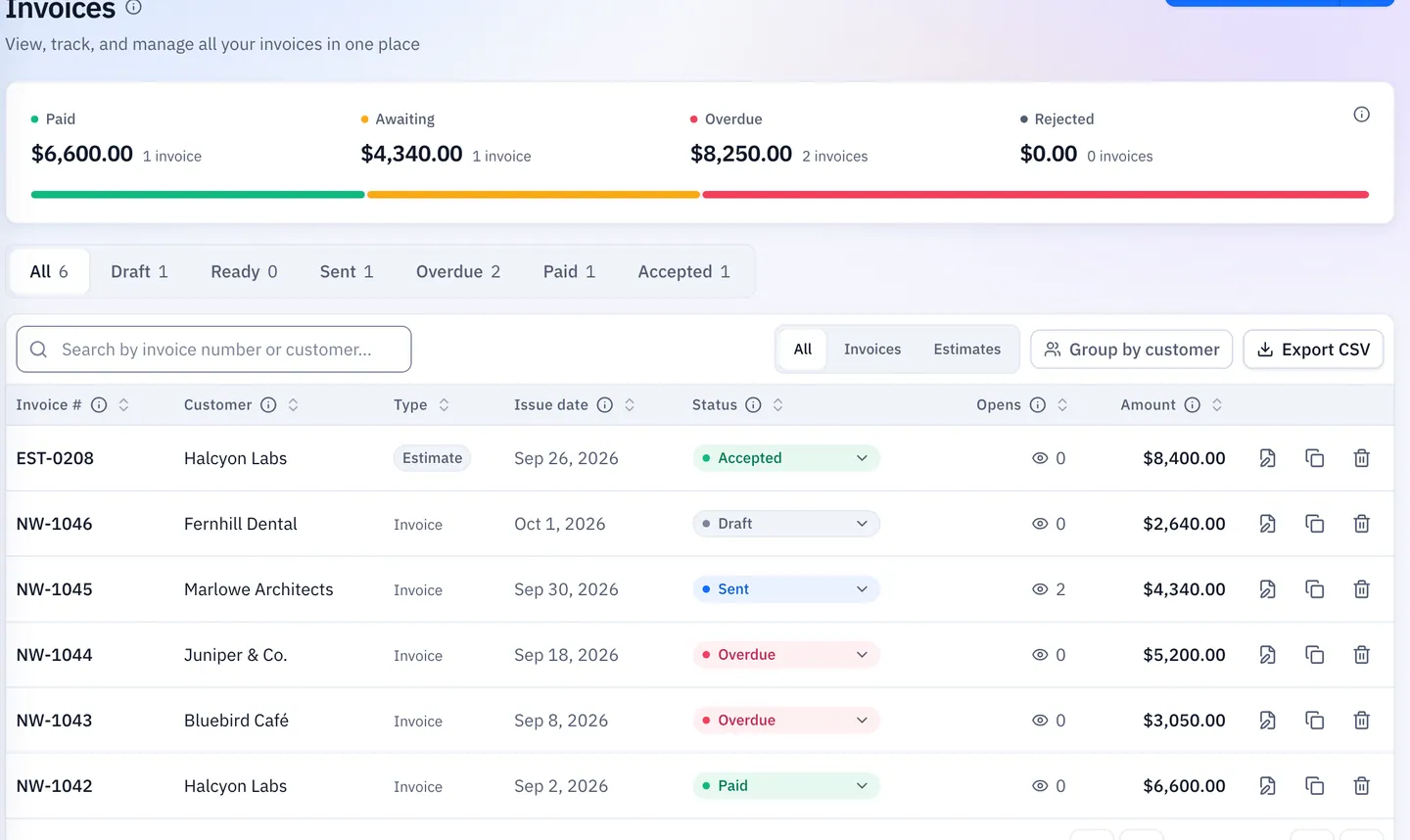
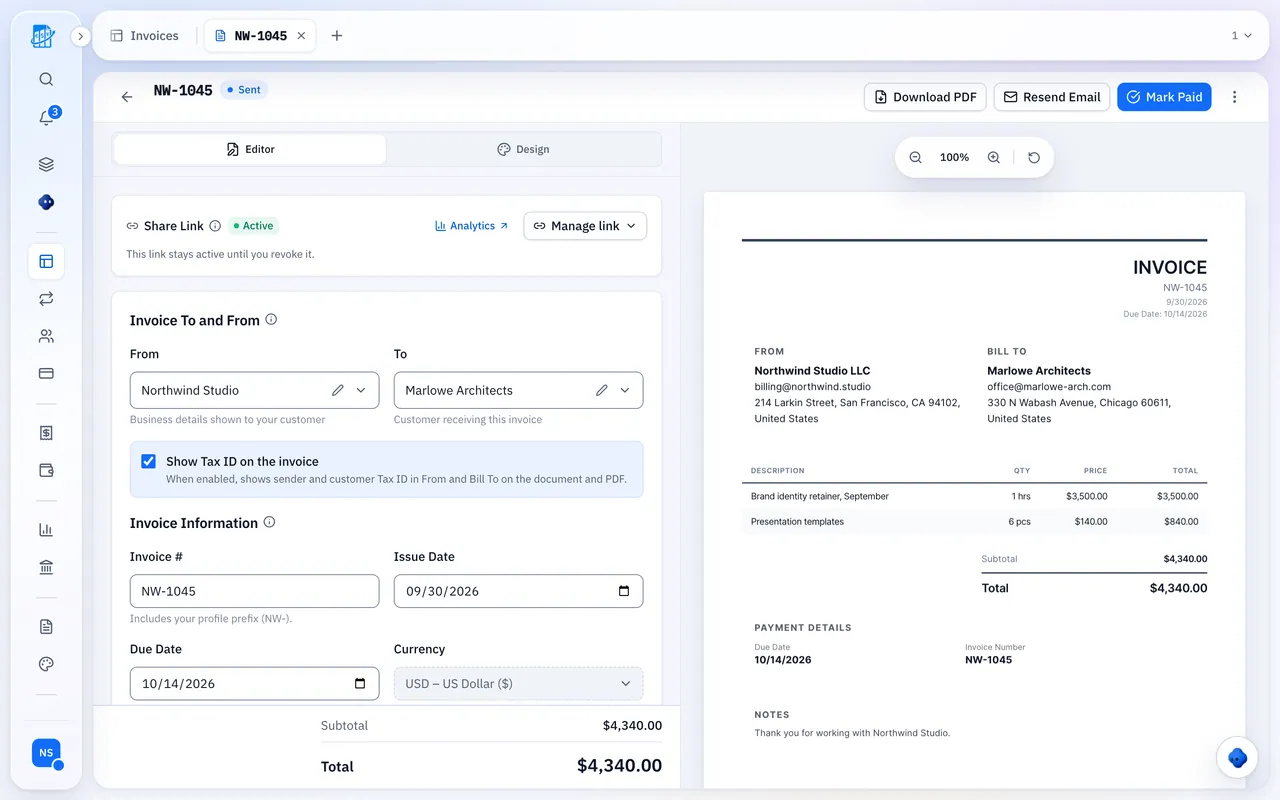
From Quote To Invoice In One Click
Win the job, then bill it without retyping a line.
- Clients accept or decline a quote from the link, and you get an email when they do
- When a quote is accepted, convert it in one step. Every line item carries over
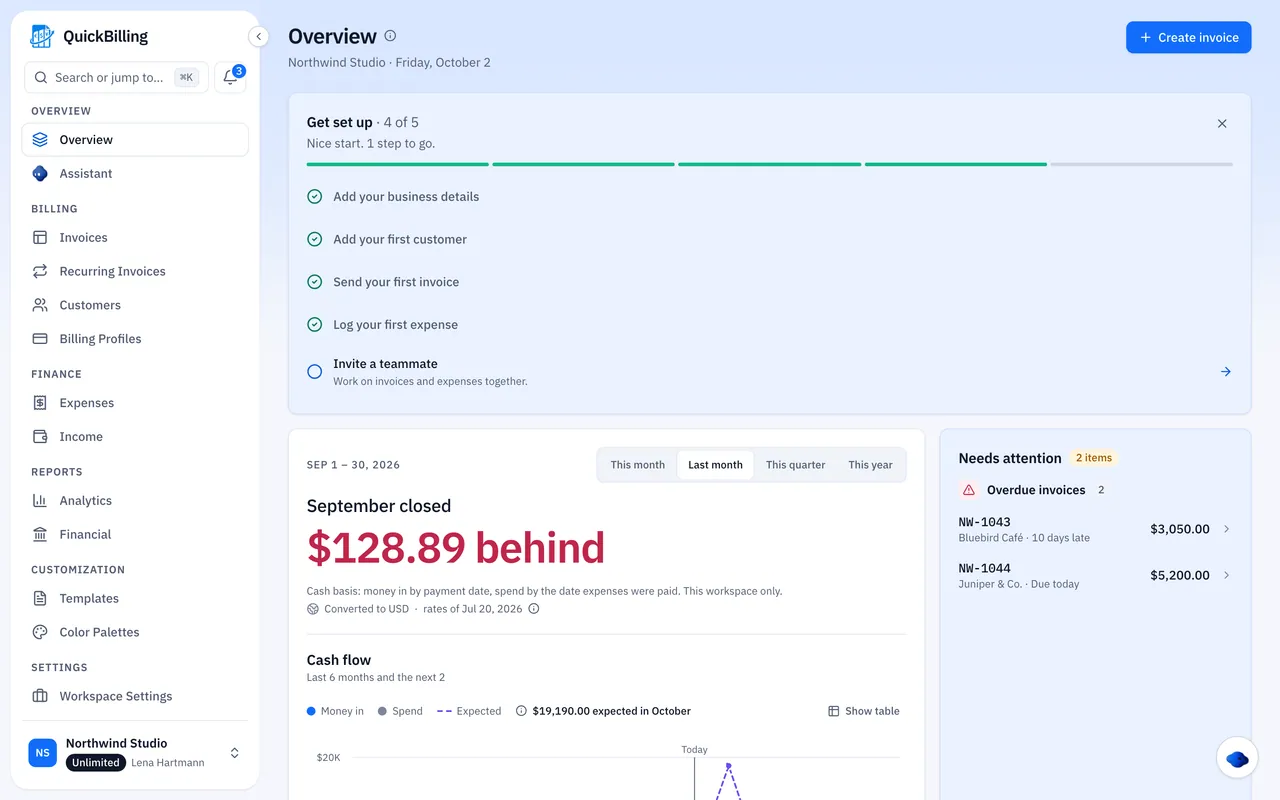
- Expenses with receipts next to your invoices, plus a VAT summary drafted from your own records, not a VAT return
What QuickBilling Doesn’t Do
If you need a full accounting package, bank feeds or card payments, QuickBilling is not that. It covers invoices, estimates, expenses and reports, as PDFs and share links. If invoicing is the part you need, it has a free plan.
- Not a full accounting package: it covers invoices, estimates, expenses and reports
- No bank connection: it does not import bank transactions
- No card payments: put bank-transfer details or a payment link, such as PayPal, on the PDF and the share page
- No XRechnung or ZUGFeRD files: a PDF or a share link is not an EN 16931 e-invoice
Why Businesses Trust QuickBilling
Encrypted In Transit And At Rest
HTTPS on every connection; stored data encrypted at rest by our database and storage providers.
Separate Workspaces
Every request is checked against your workspace and role.
Your Data Stays Yours
Export your account as JSON and invoices or reports as CSV, or delete your account.
Never Sold, Never Used For AI Training
No selling, no advertising, no training AI on your content.
Clear About Where Data Lives
Servers and files in Sweden (EU); database and email in the US. Operated from Sharjah, UAE.
A Record For Every Signature
Each signed estimate has a record: name, time, IP, device and SHA-256 fingerprint.
Simple Plans, Free To Start
In US dollars. Save 10% yearly. Cancel any time.
Free $0/ month
For your first invoices and seeing when clients open them.
- Up to 5 customers
- Unlimited invoices and estimates
- 2 invoice templates
- See when and how often links are viewed
Premium $15/ month
For freelancers with a steady client list.
- Unlimited customers
- You + 2 team members
- All 14 templates plus your own
- IP, location and device tracking
- Your own branding
Unlimited $30/ month
For agencies, several businesses or API work.
- Everything in Premium
- Unlimited workspaces and team members
- REST API keys
- 1,000 AI assistant messages a day
QuickBooks Alternative FAQs
Short answers to what people ask before they start.
Why Does This Page Leave Some QuickBooks Details Out?
On the US pricing page checked 4 October 2026, some comparison-table cells did not come through as text, and e-invoicing was not described. This page does not fill those gaps in, including which plans include multiple currencies. QuickBilling facts come from this site’s own pricing and product pages.
What Does QuickBooks Cost, And Is There A Free Plan?
On the US pricing page checked 4 October 2026, list prices before the displayed 50% off for three months were Simple Start $38, Essentials $85, Plus $140 and Advanced $340 per month. A 30-day trial was also offered. The page names a QuickBooks Free plan and says mobile app access and third-party integrations are not currently available with it. Other free-plan limits were not in the text we fetched.
What does QuickBilling cost?
Free is $0: up to 5 customers, unlimited invoices and estimates (email sending has a daily limit), 1 workspace, basic view tracking, two templates and the in-app assistant at 30 messages a day, with no card. Premium is $15 a month ($162 a year) and Unlimited $30 a month ($324 a year). Yearly billing is 10% off the monthly price.
Does QuickBilling accept card payments?
No. QuickBilling does not take card payments. You can put bank-transfer details or a payment link, such as PayPal, on the PDF and the share page.
Does QuickBilling create XRechnung, ZUGFeRD or Factur-X files?
No. QuickBilling creates invoices and estimates as PDFs and share links. It does not generate XRechnung or ZUGFeRD files. A PDF or a share link is not an EN 16931 e-invoice.
Where do the assistant and the API sit on QuickBilling?
The in-app assistant is on every plan, with 30 messages a day on Free, 500 on Premium and 1,000 on Unlimited. The hosted MCP server is available when you sign in with your QuickBilling account. REST API keys are part of Unlimited. A ChatGPT app is not available yet.
How Does QuickBilling Compare With QuickBooks Invoicing Software?
QuickBooks’ US pricing page lists Simple Start at $38 a month, plus a QuickBooks Free plan with some limits. QuickBilling is the narrower product: invoices, estimates, expenses and open tracking, from $0, and not a full accounting package. Figures are from the public pricing pages, checked 4 October 2026.